DBA PARK may earn a commission from purchases through links in this article, at no extra cost to you.
SQLite and DuckDB are both embedded databases: your application can open a local file without operating a separate database server. That similarity often leads to the wrong comparison. SQLite is primarily an embedded transactional database. DuckDB is primarily an embedded analytical database.
What You’ll Learn: compare storage and execution models, concurrency, updates, indexes, CSV/Parquet workflows, deployment, and the common architecture that uses both engines.
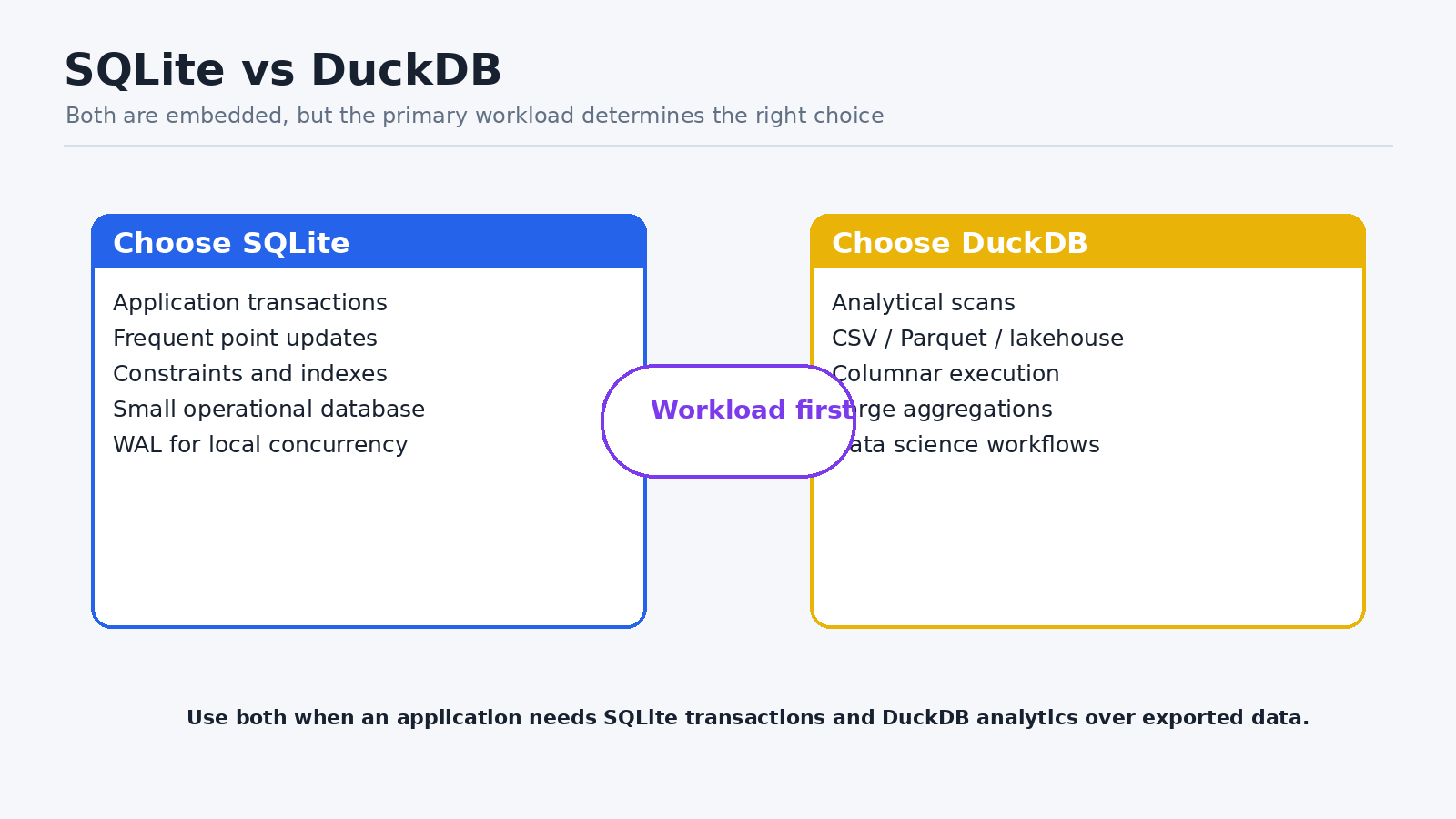
1. The Short Answer
| Requirement | Choose SQLite | Choose DuckDB |
|---|---|---|
| Application records and transactions | Strong fit | Not the primary design center. |
| Frequent point inserts/updates/deletes | Strong fit | Use only after testing the write pattern. |
| Large scans and aggregations | Possible, but row-oriented | Strong fit with vectorized columnar execution. |
| Query CSV or Parquet directly | Requires application/import work | First-class table functions and pushdown. |
| Secondary B-tree indexes | Mature and central | Analytics often favors scans; indexing model differs. |
| Concurrent writers | One writer; WAL improves reader overlap | Embedded coordination; not a client/server multi-writer database. |
| Mobile/desktop application state | Very common | Best when the application is analytical. |
2. Workload Model
SQLite: small statements read or change a few rows, constraints protect application state, and transactions are central. Think browser data, mobile apps, desktop applications, edge devices, and local service metadata.
DuckDB: queries scan many rows, project a few columns, join datasets, and aggregate. Think notebooks, ETL/ELT, data-quality checks, Parquet lakes, CSV exploration, and in-process analytics.
3. Compare the Same Analytical Query
In SQLite, data is normally loaded into a table before analysis:
CREATE TABLE sales(
  order_id INTEGER,
  ordered_at TEXT,
  country TEXT,
  amount NUMERIC
);

CREATE INDEX ix_sales_country_date
ON sales(country, ordered_at);

SELECT country, SUM(amount)
FROM sales
WHERE ordered_at >= '2026-01-01'
GROUP BY country;
DuckDB can query a Parquet dataset directly and push filters/projections into the scan:
SELECT country, SUM(amount) AS revenue
FROM read_parquet('sales/year=2026/*.parquet', hive_partitioning=true)
WHERE ordered_at >= DATE '2026-01-01'
GROUP BY country
ORDER BY revenue DESC;
4. Compare a Transactional Update
SQLite is a natural fit for a guarded state transition:
BEGIN IMMEDIATE;
UPDATE jobs
SET status='running', started_at=CURRENT_TIMESTAMP
WHERE job_id=42 AND status='queued';
COMMIT;
DuckDB supports transactions and persistent tables, but its architecture is optimized for analytical processing. If the application constantly updates individual rows under concurrent request load, benchmark carefully and consider SQLite or a server database.
5. Concurrency Is Not Just “Embedded”
- SQLite WAL allows readers to overlap one writer, but still permits one writer at a time.
- DuckDB supports concurrency within a process and has documented multi-process constraints; design file ownership explicitly.
- Neither engine replaces PostgreSQL or SQL Server when many independent hosts require sustained concurrent writes and centralized HA.
- A read-only analytical replica or exported Parquet boundary often avoids file-level coordination problems.
6. Data Format and Ecosystem
| Area | SQLite | DuckDB |
|---|---|---|
| File format | Stable SQLite database format with exceptionally broad tooling | DuckDB database plus direct analytical access to Parquet/CSV/Arrow. |
| Language APIs | Available almost everywhere, often built in | Strong Python/R/Arrow/data-engineering integrations plus many clients. |
| Extensions | FTS, JSON, geospatial and ecosystem additions | Extensions for remote storage, lakehouse, spatial, connectors, and formats. |
| Portability question | Can every target runtime open the SQLite file? | Can every target runtime load the DuckDB version/extensions and storage format? |
7. Use Both When the Boundaries Are Clear
- Store local application state and transactions in SQLite.
- Export an immutable snapshot, Arrow table, CSV, or Parquet dataset.
- Analyze the export with DuckDB without burdening the transactional connection.
- Publish only derived results back through a controlled application transaction if needed.
This pattern avoids pretending one engine must solve every workload. It also creates a useful backup and lineage boundary between operational truth and analytical copies.
8. Decision Checklist
- What percentage of work is point lookup/update versus scan/aggregate?
- Is data already in Parquet, CSV, or Arrow?
- How many concurrent writers exist, and are they in one process?
- Are foreign keys, uniqueness, and small transactional statements core?
- Must queries run on mobile or in a highly constrained runtime?
- Will a BI/data-science tool consume large datasets?
- How will files be backed up, upgraded, locked, and recovered?
Summary
Choose SQLite for embedded operational state and frequent transactional changes. Choose DuckDB for embedded analytics and direct work over columnar files. Use both when the application can export a clean analytical boundary. If sustained remote multi-writer access is central, choose a client/server database instead.
Continue learning: To try both workload styles with guided examples, browse Udemy and search for SQLite or DuckDB courses with exercises on application queries or analytical SQL, depending on your goal. To strengthen the SQL querying and relational database fundamentals behind your work, explore the interactive courses on DataCamp.