
DBA PARK may earn a commission from purchases through links in this article, at no extra cost to you.
PostgreSQL 18 introduces a native asynchronous I/O subsystem. Instead of waiting for one read to finish before issuing the next, supported operations can queue multiple requests and use the storage device more effectively. Sequential scans, bitmap heap scans, and VACUUM are among the first beneficiaries.
The release announcement reports up to three-times improvement in some storage-read scenarios. That is a benchmark ceiling, not a universal expectation. A cached workload, slow network storage, an already saturated device, or a CPU-bound query can show little benefit—or regress if concurrency is raised without measurement.
What You’ll Learn: how the AIO methods differ, which parameters matter, how to verify the active method, how to benchmark without fooling yourself, and which views reveal pressure.
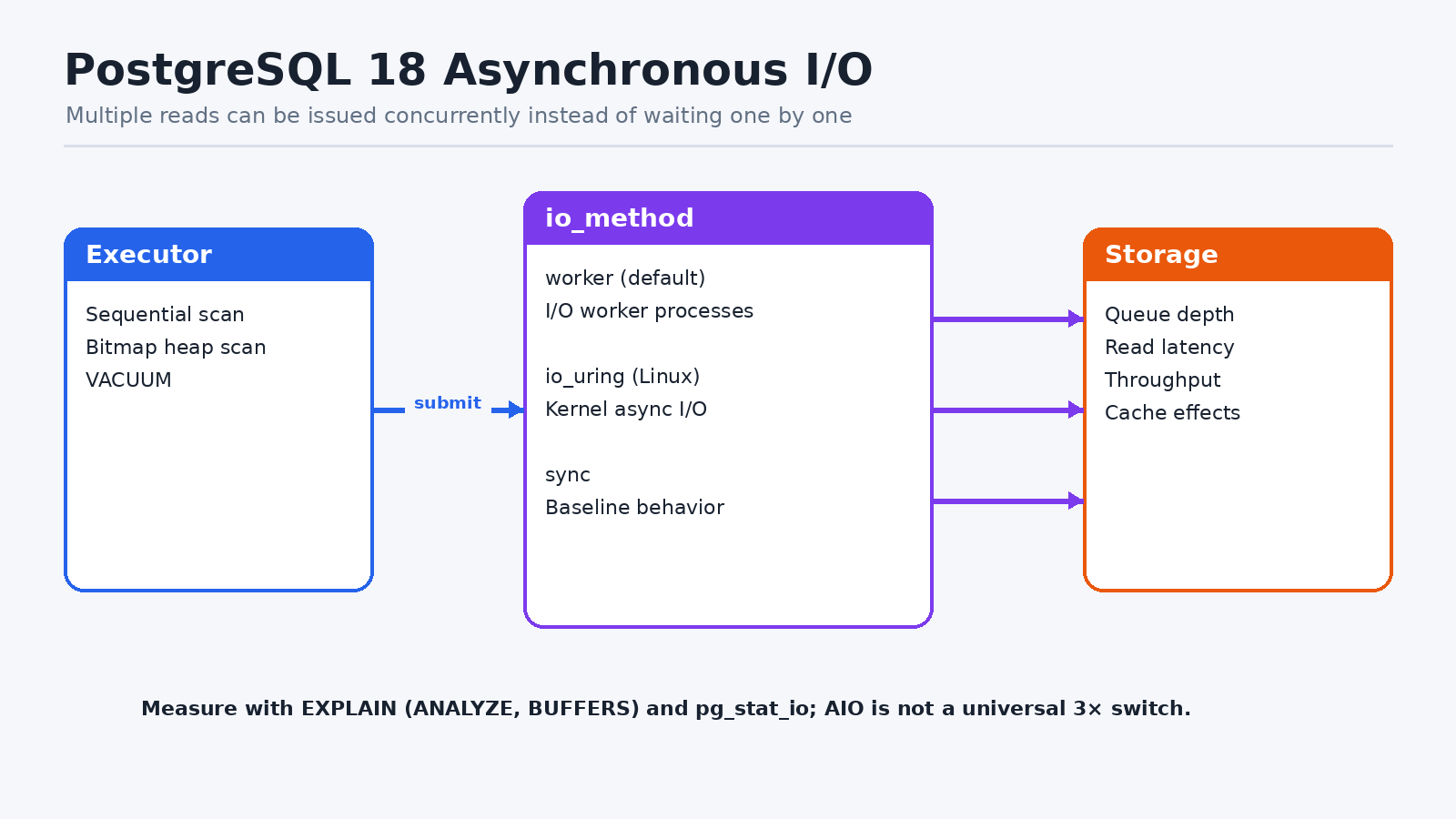
1. Understand the Three io_method Values
| Value | Behavior | When to use |
|---|---|---|
| worker | I/O worker processes execute requests; PostgreSQL 18 default | Portable starting point; available across supported platforms. |
| io_uring | Linux kernel asynchronous I/O | Test on Linux builds compiled with liburing support. |
| sync | Executes AIO-eligible operations synchronously | Control baseline or troubleshooting fallback. |
io_method is a server-start parameter. Changing it requires a restart, so benchmark methods in a controlled environment before scheduling a production change.
2. Inspect the Active Configuration
SHOW server_version;
SHOW io_method;
SHOW io_workers;
SHOW effective_io_concurrency;
SHOW maintenance_io_concurrency;
SHOW io_combine_limit;
SHOW io_max_combine_limit;
SHOW io_max_concurrency;
PostgreSQL 18 defaults to io_method=worker, io_workers=3, and an effective_io_concurrency
3. Configure a Worker Baseline
# postgresql.conf
io_method = 'worker'
io_workers = 3
effective_io_concurrency = 16
maintenance_io_concurrency = 16
io_combine_limit = '128kB'
Restart PostgreSQL, then repeat the SHOW commands. io_workers only affects the worker method. The effective and maintenance concurrency values control how many operations a session attempts to have in flight for query and maintenance workloads.
4. Test io_uring Correctly
- Confirm the PostgreSQL build includes liburing support.
- Verify the kernel, container security profile, and filesystem permit io_uring.
- Use the same dataset, PostgreSQL settings, storage state, and client concurrency as the worker test.
- Monitor errors and fallbacks during startup before interpreting performance.
# postgresql.conf
io_method = 'io_uring'
effective_io_concurrency = 16
maintenance_io_concurrency = 16
A method that is technically available is not automatically faster. Worker and io_uring performance depends on platform, storage, query shape, and concurrency.
5. Build a Repeatable Test
CREATE TABLE aio_test AS
SELECT g AS id,
       (g % 10000) AS group_id,
       repeat(md5(g::text), 8) AS payload
FROM generate_series(1, 5000000) AS g;

ANALYZE aio_test;
Run a query that reads enough data to be storage-sensitive. Record the plan and buffer behavior rather than reporting only wall-clock time.
EXPLAIN (ANALYZE, BUFFERS, SETTINGS, WAL, TIMING)
SELECT group_id, count(*), sum(length(payload))
FROM aio_test
GROUP BY group_id;
Benchmark controls
- Run warm-cache and cold-cache tests separately and label them honestly.
- Use multiple repetitions and report median plus tail latency.
- Keep autovacuum and competing jobs either controlled or included consistently.
- Measure storage latency, IOPS, throughput, CPU, and context switches.
- Test both single-query throughput and realistic concurrent sessions.
6. Monitor PostgreSQL AIO
SELECT * FROM pg_aios;

SELECT backend_type, object, context, reads, read_bytes, read_time,
       writes, write_bytes, write_time
FROM pg_stat_io
ORDER BY backend_type, object, context;
pg_aios shows file handles used by the asynchronous I/O subsystem. pg_stat_io provides cumulative I/O counters and timing by backend, object, and context. Take before-and-after snapshots for a test window rather than reading the lifetime counters in isolation.
7. Tuning Order
- Establish the default worker baseline.
- Identify whether the workload is actually storage-read bound.
- Increase
effective_io_concurrencygradually while watching device latency. - Tune
maintenance_io_concurrencyseparately for VACUUM and maintenance. - Change
io_workersonly if worker queues and workload evidence justify it. - Experiment with I/O combining after the earlier controls are understood.
- Test io_uring as another method, not as an assumed upgrade.
8. Symptoms of Too Much Concurrency
- Average and P99 storage latency rise while throughput stays flat.
- Interactive queries slow during scans or VACUUM.
- CPU system time and context switching increase.
- More queued I/O produces longer recovery after a burst.
- A single benchmark improves while mixed production throughput declines.
Summary
PostgreSQL 18 AIO is a substantial engine change, but the correct question is not “Is AIO faster?” It is “Which method and concurrency level improve this storage-bound workload without damaging tail latency for other sessions?” Start with worker defaults, measure with execution plans and I/O views, and tune one control at a time.
Continue learning: To build a broader PostgreSQL tuning workflow, browse Udemy and search for PostgreSQL performance tuning courses with exercises on monitoring, configuration, and workload measurement. For hands-on practice with PostgreSQL tables, schemas, and access privileges, explore DataCamp.